GUI Textures
What are GUI Textures?
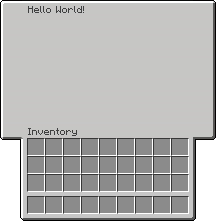
A GuiTexture is an image of a GUI that is laid over an actual, invisible, inventory (e.g. chest, anvil, etc.):
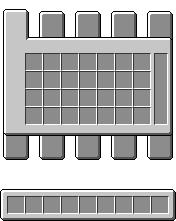
The GuiTexture is actually a large custom font character that is added to the inventory's title. Nova's resource pack makes most inventories (like chests, anvil, etc.) invisible and also injects a GUI texture for them. That's why custom GUI textures look like they replace the inventory's texture, when in reality, it's just an overlay. The underlying arrangement of the slots is still the same, so you need to align your GUI texture accordingly.
Creating and using GUI Textures
Nova uses InvUI for GUIs. Check out InvUI's documentation here.
This is how you create a simple GuiTexture and use it in a window. By default, it uses the texture at assets/textures/gui/<name>.png.
@Init(stage = InitStage.PRE_PACK) // (1)!
object GuiTextures {
    val EXAMPLE = guiTexture("example") {} // (2)!
}
- Nova will load this class during addon initialization, causing your gui textures to be registered.
- Uses the texture at
assets/textures/gui/example.png.
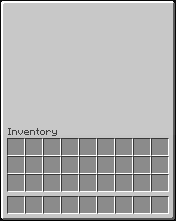
You can add simple title text like this:
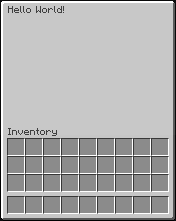
Advanced Title Text
You can add multiple title text lines with custom alignment and offsets to your GuiTexture like this:
val EXAMPLE = guiTexture("example") {
    inventoryLabel(false) // (1)!
    title {
        // Static lines are always there and are unaffected by getTitle(...)
        staticLine(Component.text("Static Line"), Alignment.CENTER)

        // These are the lines whose text is defined in getTitle(...)
        dynamicLine(Alignment.CENTER, offset = Vector2i(0, 20)) // (2)!
        dynamicLine(Alignment.DEFAULT, offset = Vector2i(0, 40))
    }
}
- Disables the "Inventory" text above the player's inventory slots.
- Note that introducing new vertical offsets requires rebuilding the resource pack.
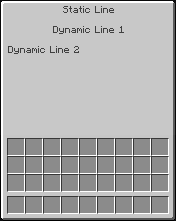
Texture Alignment
The GuiTexture does not know what type of inventory it will be used on. The different inventory types start their titles at different positions, and since the GuiTexture is just a large font character in the title, it needs to be offset appropriately to align with the underlying inventory.
By default, it is assumed that the GUI texture is intended for a chest inventory and aligned top-left.
You can set a custom offset via alignment as shown below. The GuiTextureAlignment class should have all the predefined offsets you would need for the different inventory types:
// This is a GuiTexture intended for an anvil window
val EXAMPLE_ANVIL = guiTexture("example/anvil") {
    texture { alignment(GuiTextureAlignment.TopLeft(GuiTextureAlignment.ANVIL_OFFSET)) }
}
In another case, you may want the texture to be aligned to the center such that it protrudes the left and right sides of the inventory: